Search results are presented in five columns:
The Computer column shows the list of protected computers, presented either by their name or their IP address. If different computers have the same name and IP address, they will be displayed as different computers in the Web console provided their MAC address and management agent identifier are different.
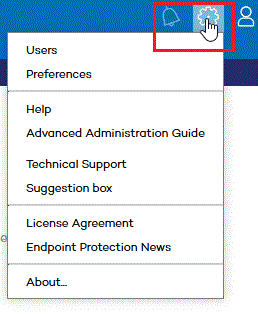
If you want to change the way your computers are presented, go to the Preferences section of the settings menu located at the top of the Web console.
The Protection update, Knowledge update, and Protection columns use a series of icons to indicate the update status of the protection and its general situation. Place the mouse pointer over each icon to view this information.
Last connection indicates the exact date and time when the computer last connected to the update server.
Remote access. If
the following icon is displayed
 ,
it indicates that the computer has Panda Remote Control installed.
Click it to open a remote desktop connection or select a troubleshooting
action. If the column displays the following icon
,
it indicates that the computer has Panda Remote Control installed.
Click it to open a remote desktop connection or select a troubleshooting
action. If the column displays the following icon  , it means that the computer
has another access tool installed. If the computer has only one tool
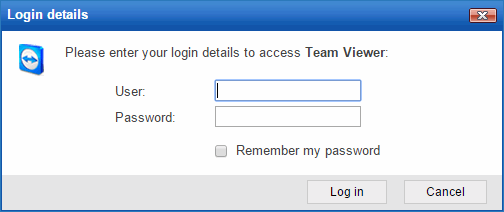
installed, click the icon to access it. Enter the relevant credentials
and access the computer:
, it means that the computer
has another access tool installed. If the computer has only one tool
installed, click the icon to access it. Enter the relevant credentials
and access the computer:
Bear in mind that the remote access feature is only available for Windows computers.
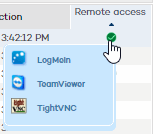
If the computer has multiple remote access tools installed, placing the mouse pointer over the icon will display all of them. Select one to access the computer remotely.
If you place the mouse pointer over a computer's name, a yellow tag will be displayed with the following information:
Computer name and IP address.
Full path of the group the computer belongs to.
Operating system installed on the computer.
Protection install date.
Comment associated with the computer.
Other useful information.