 Importing licensesImporting licenses
You might have license packs that you purchased a long time ago and which you still haven't assigned to any clients.
If so, you can convert those license packs into new licenses in order to benefit from them and be able to assign them easily to clients. To do this, you will have to import a file with the license codes provided by your reseller or sales advisor at the time of purchase.
Follow these steps:
In the Status screen, click Import licenses.
Click Browse to select the file with the license codes to import.
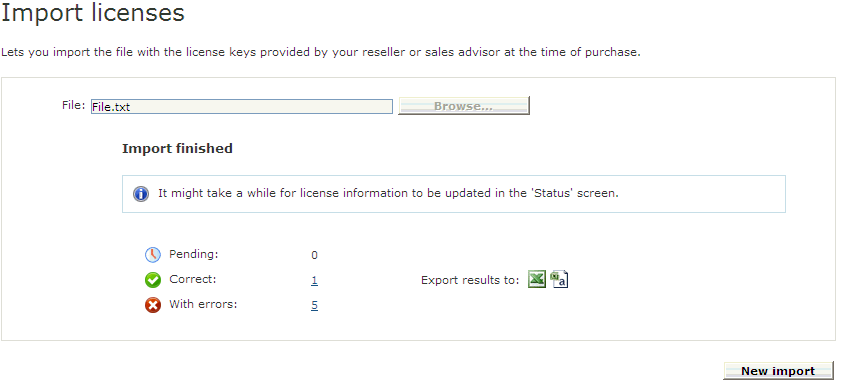
When the import process has completed, the solution will display the number of license codes that were correctly imported, those whose import process failed and the license codes that are still being assigned.
You can access detailed information about the license codes still to be assigned, those that have been imported correctly and those with errors. In the latter case, click them to view detailed information and the reason why the import process failed.
You can export both the import results and the relevant information to an Excel or .CSV file.
After importing the license codes, a message is displayed indicating that the results of the previous import will be deleted. Codes already imported will be saved, only import logs will be deleted.
You can import license packs that contain used and unused codes. The solution will identify previously used codes and will not import them.
The file to import must have the following format:
* A file with a .txt or .zip extension. Each code must appear in a new line.
Example:
ZLLYFV-78537953
5CE5XX-78537954
PQYCKE-78537955
WDDF3T-78537956
XD4ZH9-78537957