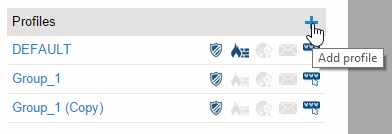
This section explains how to configure the protection profiles that you create. First, it is very important to have a clear idea of the type of profile that you want to configure and the computers it will be installed on.
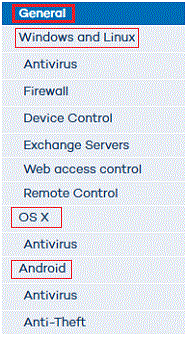
The available options affect both Windows/Linux/Android and OS X computers.
To configure a profile, click Settings > Add profile.
Click the Information tab to enter the name of the profile that you are creating, add a description to identify it, and select the language of the protection.
The protection language option only affects Windows computers, as Endpoint Protection for OS X always installs in English. On Android devices, the protection will install in the language of the device, or in English, if the relevant language is not supported by the protection.
Configure your computers' Internet connection. Specify the way your computers connect to the Internet, if they use a proxy server, and if proxy authentication is required.
In the case of Linux computers, you'll have to configure the Internet connection locally from each computer using the command line.
Click this tab to assign the profile to a group or groups of computers.